New formats: XYZ, PTX and E57. Alongside LAS/LAZ, you can now open ASCII XYZ files, Leica PTX scans (scanner pose applied), and E57 containers (all scans merged). Colour is read when present.
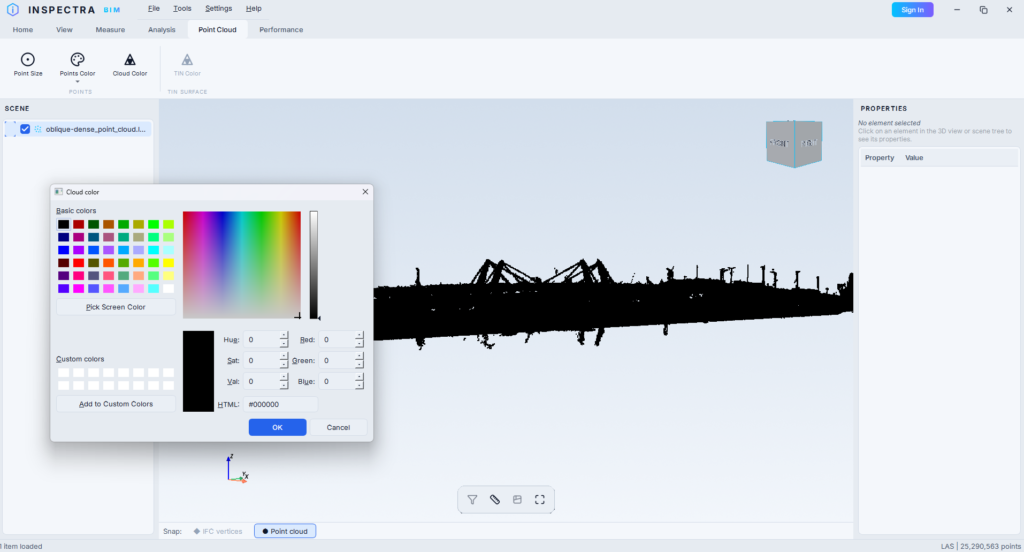
New “Single Colour” mode + Cloud Color picker. Show a whole cloud in one flat colour. Clouds without RGB (common in XYZ/PTX/E57) display in solid black by default; pick any colour via Point Cloud → Cloud Color.
XYZ/PTX/E57 carry no classification, so “By Class” shows such clouds as one grey group (expected).
Attributes Audit
Filter files in the HTML report — a search box filters by file name (e.g. a discipline code like -MXX-).
Wider, two-column setup window — report options left, requirement builder right; the “Check” column no longer clips.
Updates
New-version notification — quiet startup check; if a newer version exists, a branded notice links to the download page. Never downloads/installs automatically.
Settings:Check for Updates on Startup toggle + Check for Updates Now button. Notice options: Download / Later (24h) / Skip this version.
Try it on your own model
Inspectra BIM Free opens IFC, E57/LAS and XML locally — no plugins, no cloud.